
EasyLive - Live Commerce Tool4.8.1 - Google Play
You'll be able to see results in few seconds.
Publisher Description
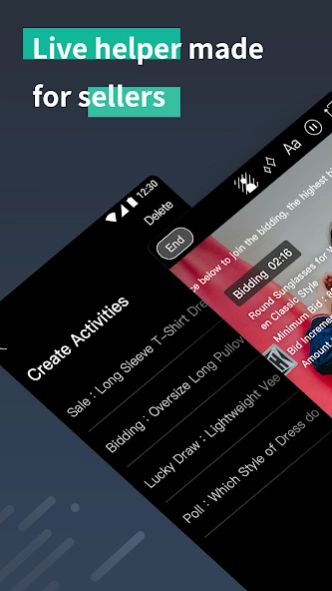
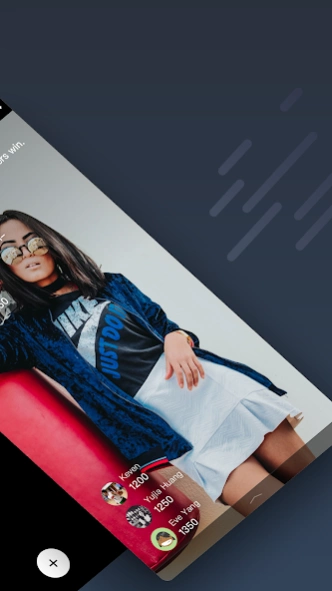
EasyLive provides you the easiest and most efficient way to create Live sales!
1. Next-level Facebook livestreams
720p HD Stream, Beauty filters, Text ticker, Green screen and more.
2. Automated Live Activities
Painlessly host Sales, Lucky Draws, Bidding, and Polls. All with key information on screen and countdown timers.
3. AI comment analysis
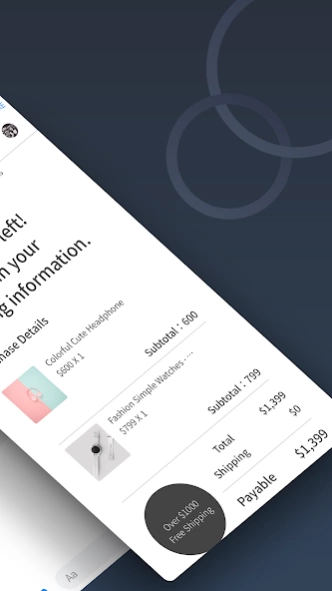
Never miss an order with our AI assistant. Tally orders and invoice customers immediately with automatic replies. You can even export all your orders for shipping and handling.
4. Livestream performance stats
Get a better understanding of your performance through with tools like customer loyalty analysis, returning rate, etc...
5. EasyLive Store
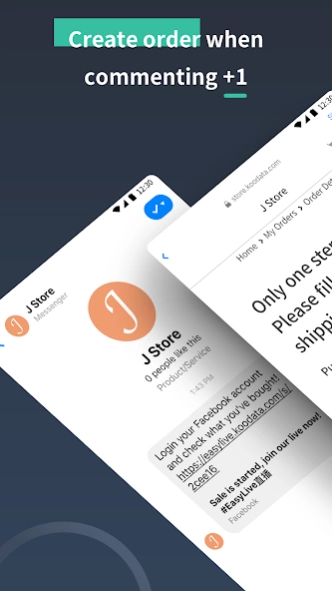
Manage your products, orders, stocks and payment settings easily via our Ecommerce Platform. We help you create an order automatically with every "+1" comment
For sellers: Set up all activities from the web dashboard and just focus on introducing your products and interacting with your audience. No need to take orders manually, just let EasyLive handle everything automatically.
For buyers: Livestreams become more interesting and interactive with text ticker and activity overlays. Comments with "+1" will be automatically detected by the system and a checkout link will be sent to complete the purchase. All fully automatic.
More information please refer our Privacy Policy and Terms of Use:
https://easylive.live/policies
【Contact Us】
- FB:https://www.facebook.com/koodata.tw/
- Line ID:@cvn5707u
About EasyLive - Live Commerce Tool
The company that develops EasyLive - Live Commerce Tool is KooData.com. The latest version released by its developer is 4.8.1.
To install EasyLive - Live Commerce Tool on your Android device, just click the green Continue To App button above to start the installation process. The app is listed on our website since 2020-09-09 and was downloaded 0 times. We have already checked if the download link is safe, however for your own protection we recommend that you scan the downloaded app with your antivirus. Your antivirus may detect the EasyLive - Live Commerce Tool as malware as malware if the download link to com.fiiser.easylive is broken.
How to install EasyLive - Live Commerce Tool on your Android device:
- Click on the Continue To App button on our website. This will redirect you to Google Play.
- Once the EasyLive - Live Commerce Tool is shown in the Google Play listing of your Android device, you can start its download and installation. Tap on the Install button located below the search bar and to the right of the app icon.
- A pop-up window with the permissions required by EasyLive - Live Commerce Tool will be shown. Click on Accept to continue the process.
- EasyLive - Live Commerce Tool will be downloaded onto your device, displaying a progress. Once the download completes, the installation will start and you'll get a notification after the installation is finished.
Program Details
System requirements
Download information
Pricing
Version History
version 4.8.1
posted on 2020-09-10
Live-streaming your way to success with EasyLive just became a little smoother. Here's the latest on this update:
- Some bug fixes
Love the app? Let us know by leaving a review!
Want to get in touch? talk to us at service@koodata.com.tw
Disclaimer
Official Google Play Link
We do not host EasyLive - Live Commerce Tool on our servers. We did not scan it for viruses, adware, spyware or other type of malware. This app is hosted by Google and passed their terms and conditions to be listed there. We recommend caution when installing it.
The Google Play link for EasyLive - Live Commerce Tool is provided to you by apps112.com without any warranties, representations or guarantees of any kind, so access it at your own risk.
If you have questions regarding this particular app contact the publisher directly. For questions about the functionalities of apps112.com contact us.
